Generative AI Explained: A Simple Guide for Students in 2026
Introduction
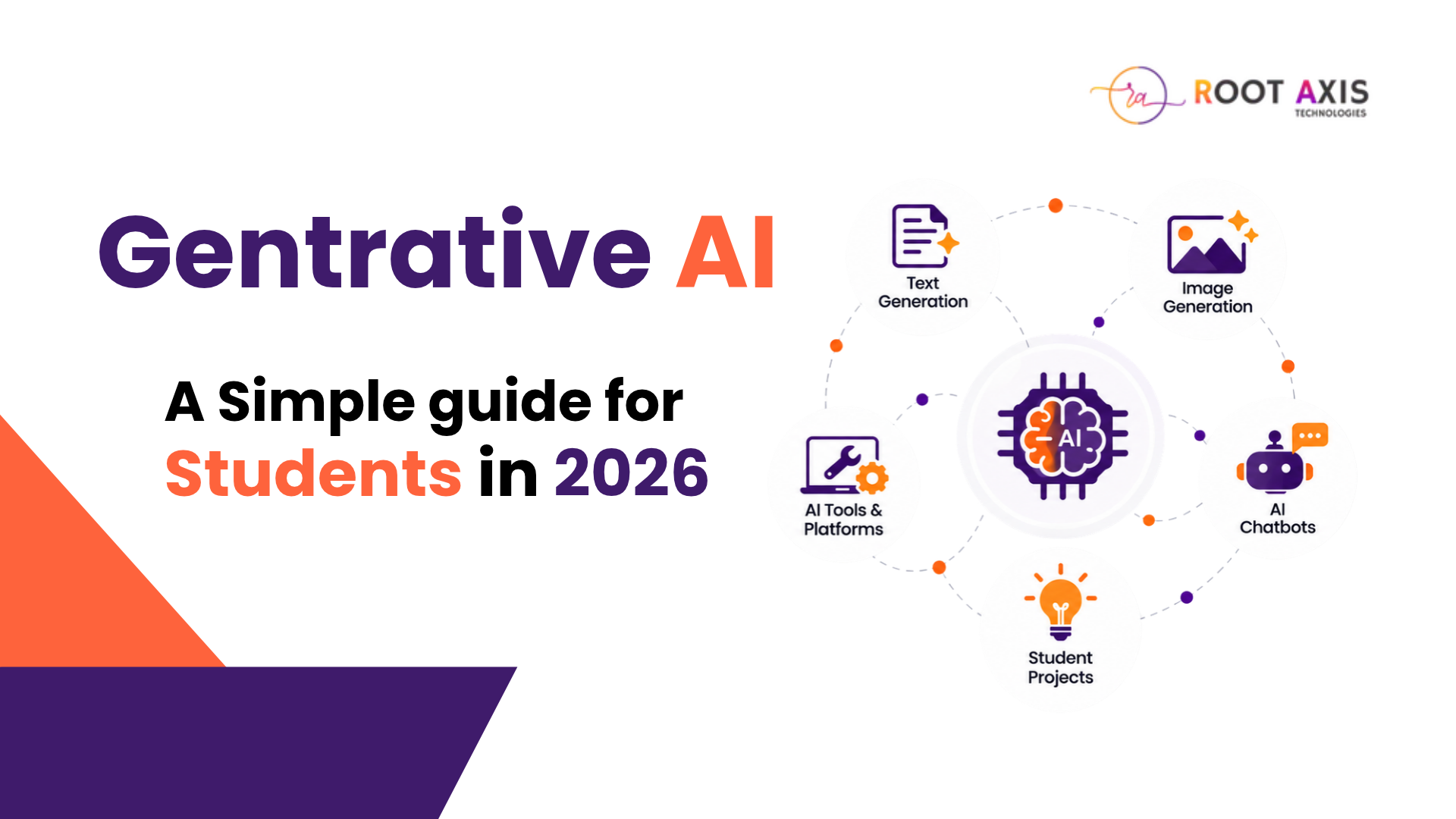
Generative AI is one of the most talked-about technologies right now, and for good reason. It can create brand-new content: text, images, audio, video, and even working code.
Whether it's answering a question, summarizing a long PDF, designing a poster, or helping debug a program, Generative AI is already changing how people study and work.
If you're a student, a fresher, or just curious about tech, this is a great place to start learning about AI. You can also explore our Artificial Intelligence course at Root Axis for structured, hands-on training.
So, What Exactly Is Generative AI?
Generative AI is a branch of artificial intelligence that learns patterns from huge amounts of data and then uses those patterns to create new content based on your instructions, called prompts.
Traditional AI systems mostly sort information into categories or predict outcomes. Generative AI goes further by producing articles, images, music, presentations, and code.
For example, you can ask an AI tool to explain a tricky programming concept in plain language, suggest ideas for your final-year project, or condense a 30-page document into a quick summary.
One important thing to remember: AI can get things wrong. Always double-check important facts, and don't share confidential or sensitive information with any tool unless you understand how it protects your data.
How Does Generative AI Work?
Here's a simplified look at what happens behind the scenes.
1. Learning from Data
The model is trained on large datasets using machine learning, picking up patterns, relationships, and structures. The quality and variety of that data shape what the model can do.
2. Reading Your Prompt
You type a question, instruction, or input. The system processes it based on how the model was designed.
3. Creating the Output
Using what it has learned and the context you gave, the model generates a response. Depending on the tool, that could be text, an image, audio, video, or code.
4. Checking the Result
Before you use anything AI creates, review it for accuracy, relevance, bias, and safety.
Keep in mind that Generative AI doesn't think or understand the world the way humans do. It produces responses from learned patterns, so sometimes the output can be misleading.
Popular Generative AI Tools
Here are some well-known tools showing what Generative AI can do.
AI Chat Assistants
ChatGPT
Helps with explanations, brainstorming, writing, summarizing, coding, and study support.
Google Gemini
Useful for exploring information, generating ideas, and understanding concepts across different content types.
Microsoft Copilot
Offers AI help for drafting, idea exploration, and everyday productivity, depending on the product and features available.
Creative and Coding Tools
Image Generators
Turn text descriptions into illustrations, concept art, and design visuals.
AI Coding Assistants
Suggest code, explain concepts, and help find errors. Their suggestions should always be reviewed and tested by a human.
Features and access change quickly, so check each tool's latest capabilities and terms before using it.
Where Is Generative AI Used?
Education
Students use it to understand difficult topics, organize notes, create practice questions, and brainstorm project ideas.
Healthcare Research
Researchers and organizations explore uses like summarizing information and supporting documentation. Clinical decisions, however, must stay with qualified professionals and go through proper validation.
Marketing and Content Creation
Teams use AI to brainstorm campaigns, draft captions, outline content, and explore visual ideas. Human editing keeps the content accurate and on-brand. Learn more in our Digital Marketing course.
Software Development
Developers use AI to get code suggestions, understand errors, draft documentation, and write test cases.
Business and Customer Support
Companies explore AI for customer support, document processing, knowledge search, and workflow automation.
AI can boost productivity, but how well it works depends on the task, the data quality, the cost, and how reliable the results need to be.
Why Should Students Learn Generative AI?
Generative AI works best when paired with critical thinking, subject knowledge, and real practice.
Limitations and Challenges
AI is powerful, but it isn't perfect.
Generative AI Project Ideas for Students
Building projects is the best way to understand how AI applications really work. Need more ideas? Check our final-year project ideas.
1. AI Study Assistant
An app that organizes your notes and creates summaries from the materials you provide.
2. AI Resume Feedback Tool
A tool that reviews resume formatting, skills, and how well it matches a chosen job description.
3. AI FAQ Chatbot
A chatbot that answers common questions from an approved set of documents and gives a fallback reply when it doesn't know.
4. AI Content Idea Generator
An app that suggests blog topics, social media ideas, and outlines for any subject.
5. AI Image Generation Explorer
A simple interface that sends prompts to an image generation API and displays the results.
Projects like these teach you about prompt design, APIs, data handling, user interfaces, and responsible AI use.
How to Start Learning Generative AI
You don't need to master everything before you begin. Here's a simple path:
Your Learning Roadmap
Phase 1: Foundations
Step 1: Learn the basics
Understand artificial intelligence and machine learning concepts.
Step 2: Understand prompts
Learn how Generative AI models and prompts work.
Phase 2: Practice
Step 3: Try AI tools
Use AI tools for simple study tasks.
Step 4: Improve your prompts
Practise writing clear prompts and judging the results.
Phase 3: Build
Step 5: Learn Python
Pick up basic Python to work with AI APIs.
Tip: Start with our Python Programming course if you're a complete beginner.
Step 6: Build a small project
Create something that solves a real problem.
Step 7: Test and document
Test it and note down its limitations.
Once you're comfortable, you can explore deeper topics like machine learning, large language models, embeddings, retrieval-augmented generation (RAG), and model evaluation.
Conclusion
Generative AI is opening up new ways to create, learn, and build software. When you understand both what it can do and where it falls short, you can use it far more effectively.
Start with the fundamentals, experiment with hands-on examples, always verify AI-generated information, and build projects step by step.
As AI keeps evolving, students who combine technical skills with creativity, critical thinking, and responsible use will be well placed to take advantage of new opportunities.
Start exploring Generative AI today and turn your ideas into real learning projects. Contact Root Axis to get started.